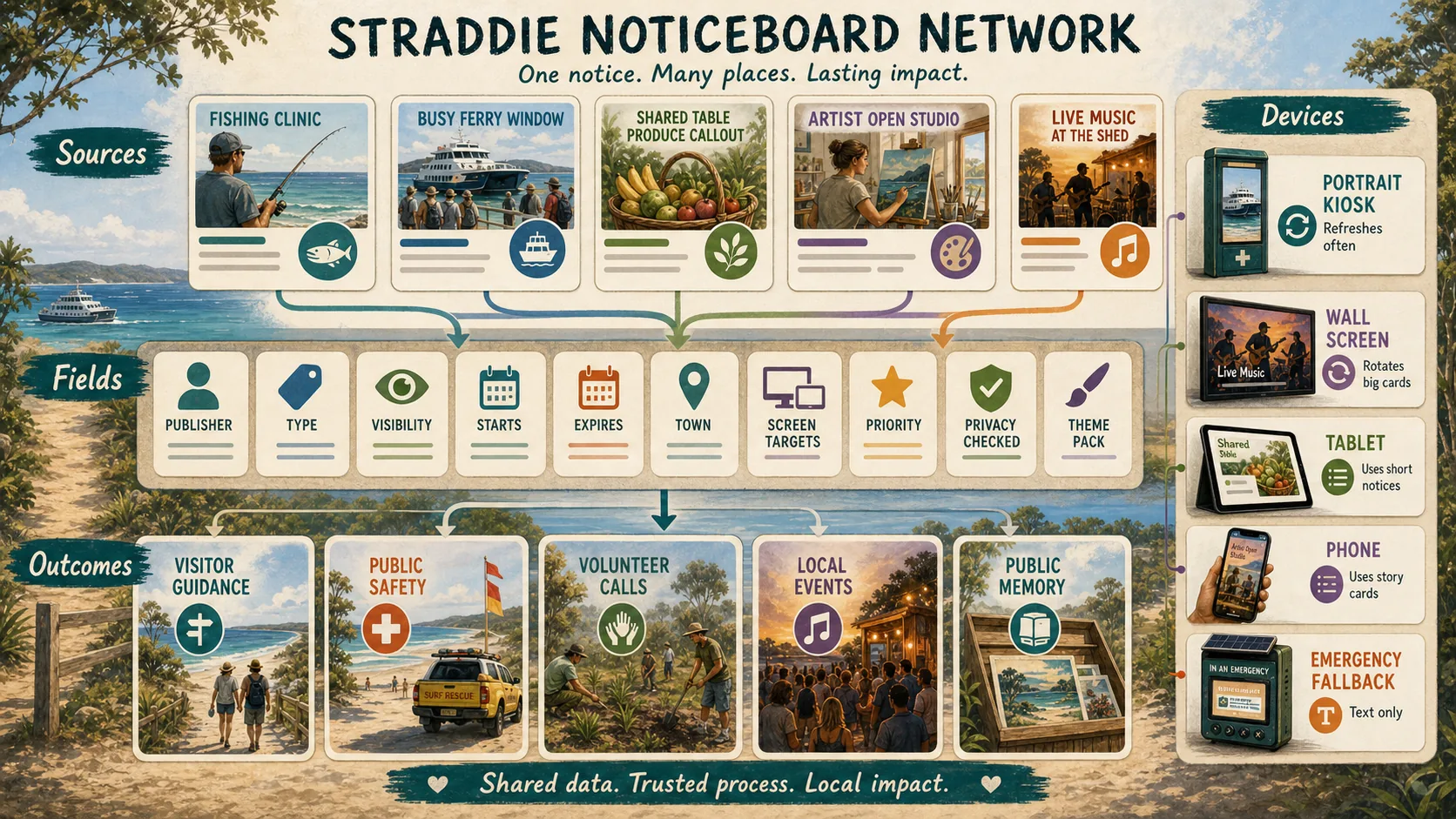
Public civic profile: what a person or contributor chooses to be known for.
aura.md
Private or trusted AI context: preferences, planning, support needs, prompts and deeper personal operating context.
public_noticeboard.md
Public publishing contract: what an entity, person, club or device is allowed to show on public screens.
Rule
Public screens get public truth only.
`public_noticeboard.md` can link to an approved `profile.md`, but it must not pull from `aura.md` unless a human deliberately copies a safe public fragment across.
Schema
Starter markdown file.
This is the proposed file shape for a publisher, venue, artist, club, event, service or device location.
public_noticeboard.md
---
schema: public_noticeboard.v0
publisher_name: Point Lookout Fishing Club
publisher_type: club
public_profile: profiles/plfc/profile.md
private_aura: not_public
approval_owner: secretary
device_location_ids:
  - plfc-wall-01
  - point-lookout-counter-01
theme_preferences:
  local:
    - junior-sport-week
    - storm-and-fire-ready
    - whale-season
  global:
    - world-water-day
    - world-environment-day
screen_targets:
  - wall_16x9
  - wide_leaderboard
  - phone_story
allowed_notice_types:
  - event
  - safety_note
  - sponsor_thanks
  - public_results
  - volunteer_call
must_not_publish:
  - private member records
  - exact fishing GPS
  - private payments
  - emergency contacts
  - unapproved photos
  - private aura.md material
review_rhythm: monthly
last_reviewed: TODO
---

# Public Noticeboard Contract

## What we want to publish

- Competition dates
- Junior clinics
- Public-safe catch summaries
- Sponsor thanks
- Safety reminders
- Volunteer call-outs

## Questions still needing real answers

- Who approves each notice type?
- Which devices should receive each notice?
- Which themes fit our values each quarter?
- Which assets are approved for public screens?
- What must expire automatically?
Agent flow
How this talks to Ready S.E.T. media.
1
Read publisher contract
The agent loads `public_noticeboard.md` first, so it knows the publisher, allowed notice types, themes and device IDs.
2
Draft a notice
The agent turns a voice note, flyer, email or photo folder into a draft `.md` notice with missing-data questions.
3
Gate and render
The privacy gate checks the draft, then the render agent adapts it for the approved device locations.